Write your prompt
Describe the subject, setting, style, lighting, and framing.
Powered by the official MiniMax H3 Image API
H3 Image turns a prompt — or up to 16 reference images — into a finished picture. Generate, edit, and download without any model setup.
Each successfully delivered image uses credits based on output resolution and reference image count. See the estimate before generating. · See pricing →
The image model
H3 Image (official model name MiniMax-H3-Image) is the image generation and editing model in MiniMax's H3 family. It does two jobs: turning a text prompt into a new image, and editing or composing from reference images you supply. It is available through MiniMax's official API as well as an open-source release.
What makes it different from a prompt-only generator is the reference input. H3 Image accepts up to 16 images in a single request, so you can replace a subject while keeping the background, merge several products into one composed scene, or carry the look of one image onto the content of another.
Gen Image AI is an independent product. We are not the developer or the official website of the MiniMax H3 model — we provide the interface, account system, credits, and generation history that let you use it.
Start Generating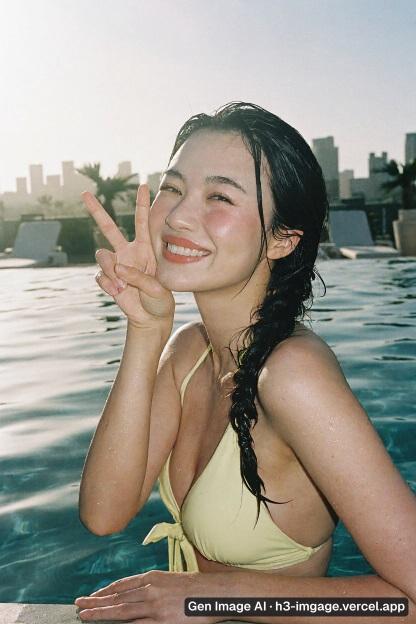
Write a prompt, choose an available aspect ratio, generate, and download your result.
Describe the subject, setting, style, lighting, and framing.
Select an available ratio to fit the image destination.
Submit your prompt and review the result when generation finishes.
Refine your prompt if needed, then download the image you want to keep.
Create campaign visuals, product scenes, editorial artwork, portraits, and concept art from a written brief or reference images.
Campaign concepts, thumbnails, ad variations, and social posts in the ratio each channel needs.
Place a product in a new setting or combine items into a composed product shot with references.
Article headers, explainers, and presentation visuals generated from a written brief.
Explore photographic portraits, cinematic scenes, illustration styles, and character concepts.
Every image comes from MiniMax-H3-Image through the official API — not a similarly named proxy model.
Switch modes without leaving the page or re-uploading your references.
Choose 1K, 2K, or 4K, or let H3 Image pick a ratio from your prompt. A 4K 16:9 image comes out at 5472×3072.
Generate a batch in one run and keep the one that works.
Credits are calculated and displayed up front, and failed images return eligible credits.
Every result stays in your account with its prompt, ratio, size, and the enhanced prompt actually used.
Choose an aspect ratio and a 1K, 2K, or 4K output tier.
| Aspect ratio | 2K output | 4K output |
|---|---|---|
| 1:1 | 2048×2048 | 4096×4096 |
| 4:3 / 3:4 | 2368×1760 / 1760×2368 | 4736×3552 / 3552×4736 |
| 16:9 / 9:16 | 2720×1536 / 1536×2720 | 5472×3072 / 3072×5472 |
| 3:1 / 1:3 | 3552×1184 / 1184×3552 | 7104×2368 / 2368×7104 |
The table shows example sizes. Exact pixel dimensions depend on the provider.
Edit mode is where H3 Image differs most from single-prompt generators: upload between 1 and 16 images, then describe the result in plain language.
Example prompts that work well:
Upload up to 16 JPG, PNG, or WebP references, totaling 3 MiB or less.
| H3 Image | H3 Image Highspeed | |
|---|---|---|
| Best for | final renders and reference-image editing | fast iteration on prompts |
| Reference images | 1–16 | 1–16 |
| Area presets | 1K / 2K / 4K | 1K / 2K / 4K |
| Images per request | up to 10 | up to 10 |
| Parameters and limits | identical | identical |
Both variants take the same parameters and limits. Switch to Highspeed while you are still deciding on a prompt, then switch back to H3 Image for the final render.
Made for real creative work
Start with the image’s intended use, then refine the prompt to fit your project.
Campaign concepts, thumbnails, ad variations, and social posts in the ratio each channel needs.
Place a product in a new setting or combine items into a composed product shot with references.
Article headers, explainers, and presentation visuals generated from a written brief.
Explore photographic portraits, cinematic scenes, illustration styles, and character concepts.
Common questions
H3 Image is the image generation and editing model in MiniMax's H3 family. Its official model name is MiniMax-H3-Image, and it is available through MiniMax's official API and as an open-source release.
P-H3-Image is another name you will see for this model in community releases and workflows. It refers to the same MiniMax H3 image model used here.
Both. H3 is a family: it covers video generation, and separately MiniMax-H3-Image, which produces and edits still images. Searches for “h3 image” almost always mean this image model.
No. Images on Gen Image AI are paid with credits, and the exact cost is shown before you generate. Any image that fails is returned to your balance.
Request up to 10 images at a time. The provider may return fewer. Credits are charged for images that are saved.
Choose 1K, 2K, or 4K. The exact pixel dimensions depend on the provider and aspect ratio.
Yes — that is edit mode. Upload 1–16 reference images and describe the change. Masked editing, transparent backgrounds, and preview images are not supported.
Yes. Both English and Chinese prompts are accepted.
Yes. Every result can be downloaded individually from the result view and from your generation history.
Timing depends on resolution and image count. Saved images appear when the request finishes.
Gen Image AI is an independent product that uses MiniMax H3 Image through OpenRouter.
The batch is not lost. Images blocked by the content safety check or that fail during generation are reported individually, and eligible credits return automatically.
Describe what you want to create. Text-to-image generation is available now; H3 Image editing features will arrive as integration progresses.
Gen Image AI — H3 Image generator. Independent product, not affiliated with MiniMax.